Why Comment to DM Is the Most Important Instagram Automation Use Case
A comment to DM funnel takes a public signal of interest and turns it into a private conversation, automatically, in seconds. That single idea is the reason this strategy outperforms every other Instagram growth tactic you have probably tried.
Here is what that looks like in practice. An online course creator was manually replying to every comment on their launch posts. They would post a Reel, get 300+ comments saying "COURSE," and spend 3 hours copy pasting the same DM with the enrollment link. They set up a comment to DM automation that took 10 minutes. The next launch post got 400 comments. All 400 received the DM with the link within seconds. They spent zero hours on manual replies. They said the tool "gave them their launch day back."
New to comment automation? Our Instagram comment automation guide covers the basics of how triggers work.
How Comment to DM Automation Works (3 Steps)
The basic comment to DM automation is simple. Three things happen and all of them are automatic after you set it up once.
You post content with a CTA
Post a Reel, carousel, or static post that ends with a clear call to action. "Comment GUIDE to get the free framework." Short keyword. Clear offer.
Someone comments the keyword
The system detects the keyword via Instagram's API and fires within seconds. The DM lands while the commenter's thumb is still on your post.
They get a public reply and a DM
Two actions fire at once: a public comment reply ("Just sent it to your DMs") and a private DM with your link, resource, or message. The public reply is social proof. The DM delivers the value.
That is the entire comment to DM automation. Keyword in, public reply out, DM delivered. It works on posts, Reels, and carousels. You can set up multiple keywords per automation, and the DM message is fully customizable.
How to Choose Trigger Keywords That Convert
Your trigger keyword is the hinge of the entire funnel. Pick the wrong one and you either get zero triggers or fire on every casual comment.
A creator with 45K followers was running a comment to DM flow with the trigger keyword "GETLINK." Engagement was low. Maybe 3 to 5 triggers per post. They switched to "INFO" because that is what people were already typing in comments organically before the automation existed. Same content, same audience, same posting schedule. Triggers jumped to 40+ per post. The lesson: your keyword should match the language your audience already uses.
Keywords that convert
Keywords that cause problems
For the full breakdown on keyword triggers, including multi keyword setups and conflict resolution, read our keyword trigger automation guide.
Setting Up Your First Comment to DM Automation
This walkthrough assumes you have already connected your Instagram account to AutomateYourDM via OAuth. If you have not done that yet, our step by step DM automation guide covers the full onboarding process.
Create a new automation and pick your trigger type
You have two options. A post specific trigger only monitors comments on one particular post. A Page Config trigger monitors every post on your account, including future ones. One rule covers everything. For your first setup, start with post specific. Once you know your keyword works, switch to Page Config so every post is covered automatically.
Set your trigger keywords
Add the keywords you want to trigger on. You can add multiple keywords to a single automation. The system checks whether the comment contains any of your keywords, so if you set "INFO" as a keyword, a comment like "I want more INFO please" would still trigger the automation. There is also a "Trigger on any comment" toggle. When that is on, the automation fires on every comment regardless of what the person types.
Write the public reply and the DM message
Both get configured together. The public reply appears under their comment: "Just sent it to your DMs" or "Check your inbox." This is social proof. Everyone scrolling through comments sees that the keyword works, and they comment it too.
The DM message should sound like you typed it between meetings. Not like a newsletter. Here is a template that works:
Example DM:
"Hey, thanks for commenting. Here is the guide I mentioned in the post: [link]. Let me know if you have any questions after reading it."
Worth noting: AutomateYourDM includes a Smart Reply Variation engine that rotates through multiple versions of your public reply automatically. Instead of posting the exact same text under every comment (which Instagram might flag as repetitive), the system cycles through variations you write. Same intent, different wording.
Decide on follow gating
Follow gating is an optional toggle on every comment automation. When turned on, the system checks whether the commenter follows your account before delivering the DM content. If they already follow you, the resource goes straight through. If they do not, the flow changes.
Let me break this down. The commenter gets a DM that says something like: "Hey, thanks for being here. Tap below and I will send you access shortly." Below that is a button: "Send me the access." They tap it. The system checks their follow status. If they still have not followed, it sends a gentle nudge: "Looks like you have not followed yet. Head over to my profile and tap follow." That message includes two buttons: "Visit Profile" and "I am following." Once they follow and tap "I am following," the system verifies and delivers the content immediately.
The trade off: follow gating adds friction. Some people will bounce instead of following. But for most creators, the net effect is positive because every conversion also grows your audience. If you are running a time sensitive promotion, turn it off. If you are building an audience long term, keep it on.
Activate and go live
Hit activate. The automation is live immediately. The next person who comments your keyword on that post (or any post, if you used Page Config) gets the public reply and the DM within seconds. No warm up period. No waiting.
Going Further: Trigger DM Flows for Lead Capture
The basic comment to DM automation delivers one message and stops. That covers most use cases: someone comments a keyword, they get a link. Done.
But if you want to collect email addresses, phone numbers, or qualify leads before sending them a resource, you need a different module: Trigger DM Flows. This is a separate feature in AutomateYourDM with its own flow builder. You create nodes connected by buttons. Each node sends a message, and the person's response determines what happens next.
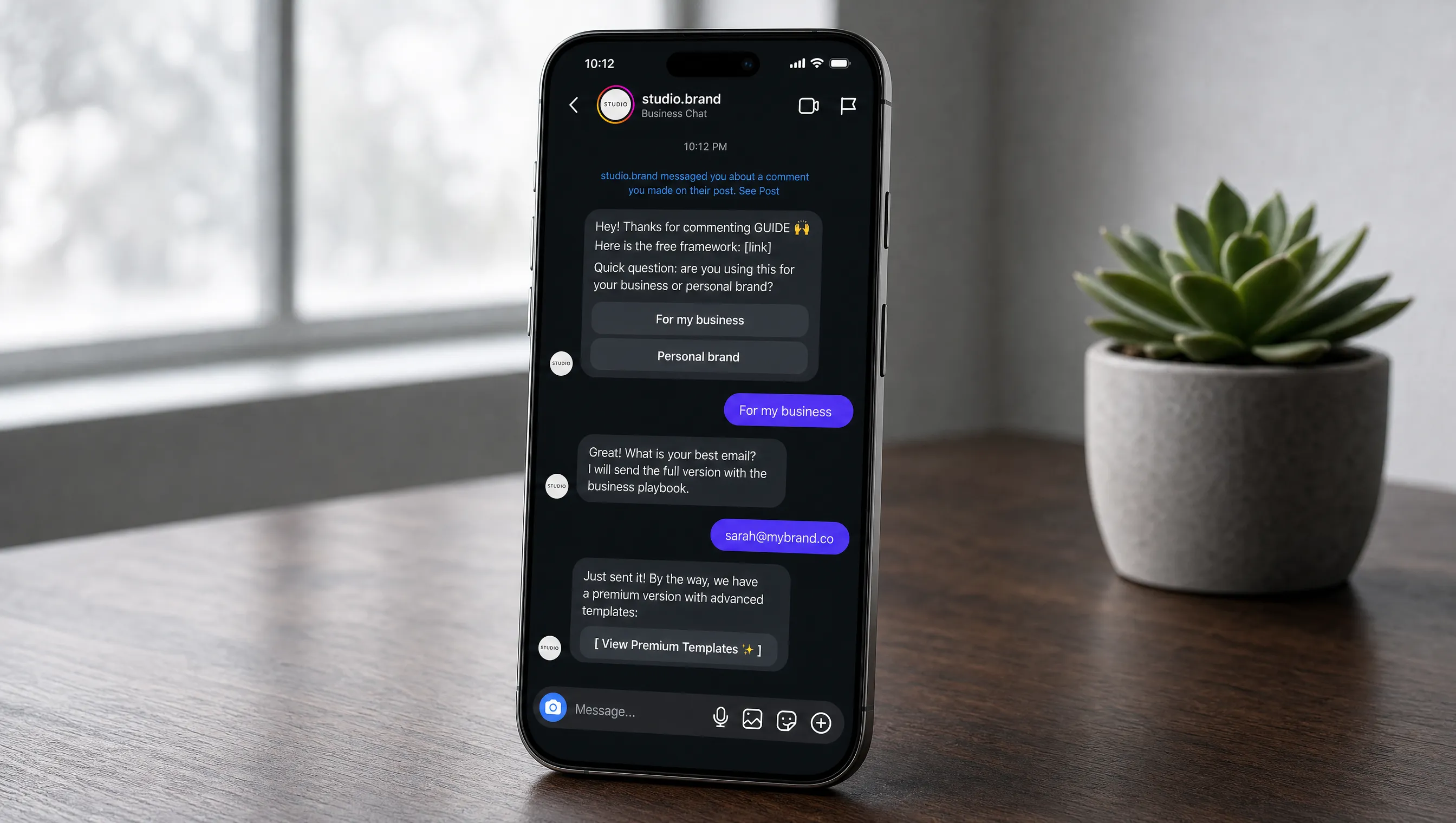
Example Trigger DM Flow: lead magnet to email capture
Trigger fires: "Thanks for commenting. Here is the free template: [link]. Quick question: are you using this for your business or personal brand?"
Buttons: [ For my business ] [ Personal brand ]
If "For my business": "Great. What is your best email? I will send the full version with the business playbook."
Email captured: "Just sent it. Here is the link to the premium version if you want to check it out: [checkout link]"
Every lead captured through a Trigger DM Flow is stored in your leads dashboard with their keyword, conversation history, and any contact info they shared. You can use Trigger DM Flows independently or alongside comment to DM automation. They are separate modules that solve different problems: comment to DM delivers a quick response, Trigger DM Flows build a conversation.
Looking for Something Different?
Comment to DM funnels capture leads from your post and Reel comments. If that is not quite what you need, here are the other AutomateYourDM features that might be a better fit.
If you want to auto respond when someone replies to your Stories or mentions you, that is story automation. It works on story reply events and story mention events, which are completely different from post comment triggers.
If you want to respond to specific keywords people send in your DMs, that is a keyword trigger DM flow. It listens for keywords inside direct messages and starts a structured conversation flow with buttons, links, and lead capture steps.
If you need AI to handle open ended DM conversations, the AI DM automation feature handles incoming messages with intelligent, personalized replies without you building a flow. It uses context from your uploaded documents to answer customer questions naturally.
Frequently Asked Questions
No, as long as the tool you use connects through Meta's official Graph API via OAuth. The automation only fires after a user voluntarily comments on your post, which means every interaction is user initiated. This is a documented and supported use case within Instagram's platform.
AutomateYourDM has built in deduplication. If the same user comments the same keyword on the same post, the system sends the DM once and skips subsequent duplicates. This prevents spam and protects your rate limit budget.
Yes. You can configure post specific automations with unique keywords for each post. For example, "GUIDE" on your educational Reel, "PRICE" on your product post, and "CALL" on your services post. Each keyword triggers its own automation independently. Or you can use Page Config to set one rule that covers all posts at once.
The DM typically arrives within 3 to 10 seconds of the comment. This speed matters because the commenter is still on your post, still engaged, and still thinking about your offer when the message lands in their inbox.
Yes. Instagram's API only supports Business and Creator accounts. Personal accounts cannot connect to automation tools. Switching your account type is free and takes about 30 seconds in Instagram Settings under Account Type.
Yes, but not through the basic comment to DM setup. Email and phone number collection happens through Trigger DM Flows, which is a separate module in AutomateYourDM. It lets you build multi step conversations with buttons and branching logic. The comment automation delivers a single DM. The Trigger DM flow builder is where you build the full lead capture funnel.
Comment to DM automation is the basic setup: someone comments a keyword, they get a public reply and a single DM with your link or resource. Trigger DM Flows is a separate, more advanced module where you build multi step conversations with buttons, collect contact info, and route leads down different paths. You can use them independently or together.